Listicle · Camping Apps
Best Apps for a USA Camping Road Trip (Tested Across 6 States)
Five apps, five different jobs — most road trippers only need two or three. Here's how to figure out which ones fit your trip.
How to pick the apps you actually need
Every camping app does one thing well and another thing poorly. HipCamp finds private-land sites no agency lists but its established-campground inventory is thin. The Dyrt has every state park in the country but no private land. AllTrails knows hiking trails but doesn't know campsites. The temptation with a guide like this is to install all of them and call it done — resist that. Most road trippers use two apps, sometimes three, and the annual cost of subscriptions they never open adds up faster than they realize. Read what each app is best at. Pick the ones that match how you actually camp. Skip the rest without guilt.
HipCamp — finding campsites no agency has
Recreation.gov opens campsite reservations 6 months in advance. The most popular sites — Great Smoky Mountains, Yellowstone, Yosemite — fill within minutes of opening. HipCamp exists because demand outpaces supply on public land, and a lot of private land owners are willing to host campers on it. The inventory is genuinely different: farms, ranches, private forests, vineyards. Real photos from the actual site, host knowledge, flexible cancellation. Use it if you're drawn to unusual sites or when public land has no availability. Skip it if you're happy with the state-park loop.
The Dyrt Pro — established campgrounds + offline maps
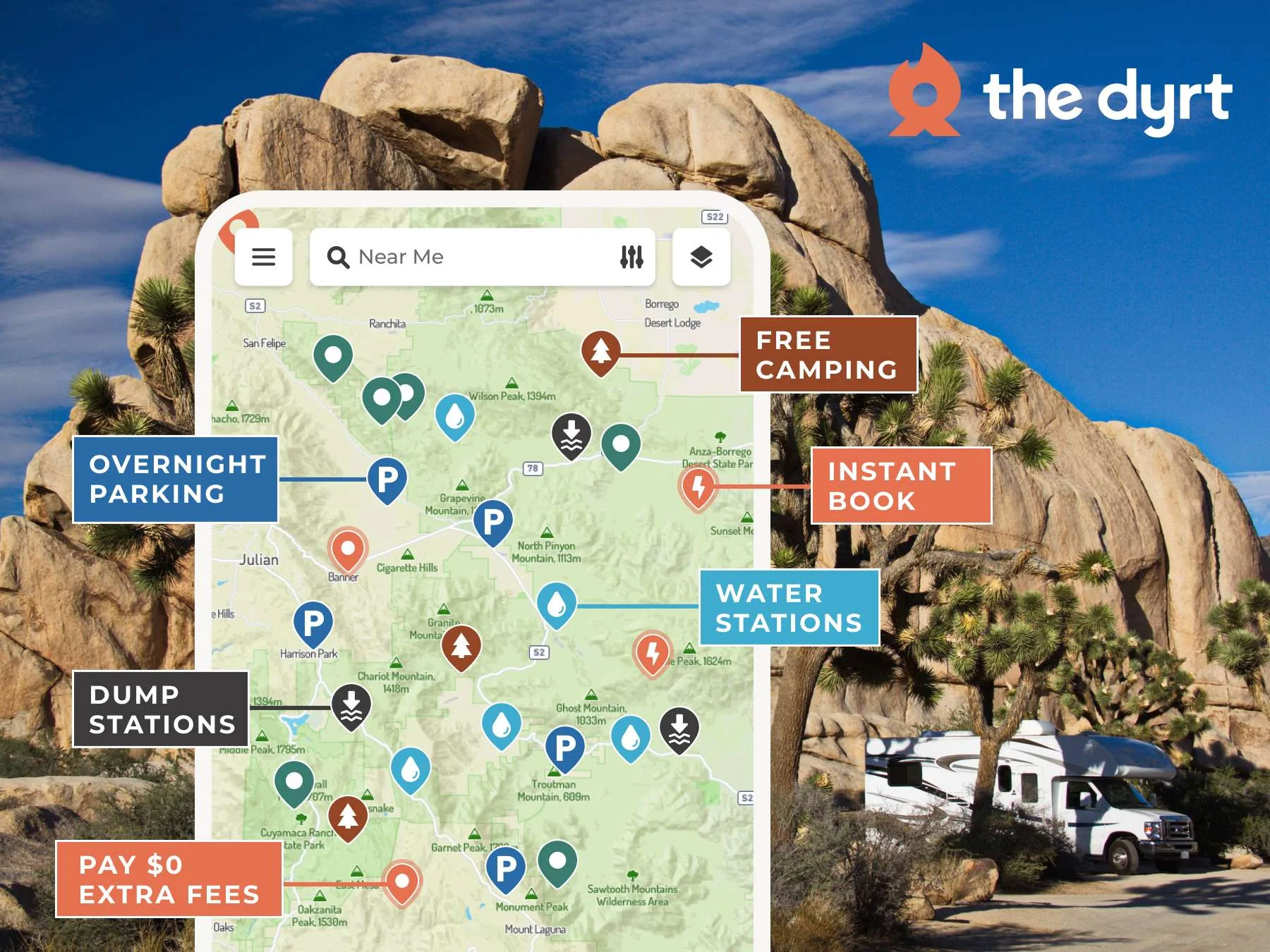
The Dyrt is the most comprehensive review database for established campgrounds in the US — every state park, national forest, BLM site, and KOA. The Pro tier adds offline maps (essential where signal disappears), trip planner with stops, and a Map Layers feature that overlays free-dispersed-camping zones. The reviews are the killer feature: hundreds of photos per site, descriptions of which loop is quieter, where the bathroom actually is. Use it if you're booking state or national park campgrounds. Skip Pro if you're doing 1-2 trips a year and can survive one weekend without offline maps.
AllTrails Pro — trail navigation when signal drops
Two features justify the subscription: offline map downloads (so the app works when cell signal is gone) and the wrong-turn alert (a notification when your GPS position drifts from the trail). At a park like Great Smoky Mountains where 12.9 million annual visitors share trails that lose cell signal within the first mile, this is the difference between a navigated hike and an unplanned bushwhack back to your car. Skip Pro if you only hike short, well-marked, popular trails — the free version is fine for that use case.
Gaia GPS — backcountry and off-grid
Gaia GPS is the app you upgrade to when AllTrails stops being enough. It overlays USGS topo maps, satellite imagery, fire-perimeter layers, public-land boundaries, and weather radar — all available offline once downloaded. If you do dispersed camping, off-trail hiking, or legitimate backcountry trips, Gaia GPS is essential infrastructure. For pure trail hiking and established campgrounds, AllTrails Pro is enough and you should skip Gaia entirely.
Roadtrippers Plus — the between-camps route planner
Roadtrippers Plus is for the drive between campgrounds — the 200-mile stretch between Tuesday's site and Wednesday's site, the question of which towns are worth a 30-minute stop, the hunt for a diner or roadside attraction. The Plus tier removes the 7-stop limit (essential for any real road trip) and adds trip collaboration so a travel partner can edit. Use it if you're planning long multi-stop routes. Skip it if your trip is a single-destination visit — Google Maps handles that fine on its own.
Pricing comparison — what each app costs
| App | Free tier? | Pro tier price | Best for | |
|---|---|---|---|---|
| HipCamp | Yes (browse) | Pay per booking | Private-land sites | Browse HipCamp |
| The Dyrt Pro | Yes (basic) | $59.99/yr | Established campgrounds + offline | Try The Dyrt Pro |
| AllTrails Pro | Yes (basic) | $29.99/yr | Trail nav + offline maps | Start AllTrails Pro |
| Gaia GPS | No | $4.99–$7.49/mo | Backcountry + off-trail | Try Gaia GPS |
| Roadtrippers Plus | Yes (7 stops) | $35.99–$59.99/yr | Route planning between stops | Try Roadtrippers Plus |
New to camping? Start with The Dyrt Pro
The Dyrt Pro, most of the time. It's the lowest-friction entry — every campground in the US, offline maps, photos, reviews. The free version is workable for a first trip; upgrade to Pro before your second one if you enjoyed camping enough to plan a next trip. HipCamp is a reasonable alternative first pick if you know you want unusual sites over state-park loops. Everything else — AllTrails Pro, Gaia, Roadtrippers — is a second or third addition, not a starting point.
Stack the free trials to test before you commit
Most of these apps offer a 7-day free trial of the Pro tier. Install the two or three that sound most relevant to your trip and run the Pro tier during your planning week and the trip itself. After the trip, cancel the ones you didn't open more than twice. If you kept opening one, that's your subscribe answer. If you didn't, the free tier or nothing is fine.
Three camping apps we don't recommend
Three honest negative picks. Recreation.gov's official app — slow, ugly, and the desktop site is faster on every operation. iOverlander — built for international overland travel, sparse and out-of-date for US camping. Generic 'Camping & RV' apps that bundle 'free' GPS and 'free' reservations — usually a thin reskin of public data, monetized by display ads, and worse than the apps above. If a camping app doesn't show up in this article, there's a reason.
Frequently asked questions
The Dyrt Pro vs HipCamp — which one should I start with?
Different problems. The Dyrt Pro is for established campgrounds — state parks, national forests, KOAs — with reviews and offline maps. HipCamp is for private-land sites you won't find on Recreation.gov. If your trips lean toward state and national parks, start with The Dyrt. If you're drawn to the idea of camping on a working farm or private vineyard, start with HipCamp. You don't need both to try one.
Is AllTrails Pro worth it?
Only if you hike trails over 3 miles in spots without consistent cell signal. The two features that matter are offline map downloads and the wrong-turn alert — the rest is gravy. If you only hike short, popular trails at busy parks, the free version is enough, and there's no point paying $30/year for features you won't use.
Do I need Gaia GPS if I have AllTrails Pro?
Only if you go off-trail or into legitimate backcountry. AllTrails Pro covers trail navigation; Gaia GPS covers terrain, contour lines, USGS layers, and route planning across unmarked terrain. For 90% of road trippers, AllTrails Pro is enough. For the 10% who do dispersed-camping side trips or unmarked-route exploration, Gaia is essential.
What about Google Maps — is it enough by itself?
For driving between major destinations, yes. For finding campsites, no. For trail navigation, hard no — Google Maps doesn't show single-track trails, doesn't work offline reliably without preloading, and won't tell you which dispersed camping is legal. Whatever apps you add supplement Google Maps; they don't replace it.
How much does it cost if I subscribe to all five?
Over $180/year — The Dyrt $59.99, AllTrails $29.99, Gaia $4.99–$7.49/mo, Roadtrippers $35.99–$59.99, plus HipCamp booking fees on each site. Which is why nobody should subscribe to all five. Two or three is the honest number for most road trippers, closer to $90/year total. Figure out which two you'd actually open weekly and start there.
Meet your guide
Charlie
Charlie plans road trips the way most people plan spreadsheets — methodically, with backups. He's driven over 40,000 miles across the US and has tried nearly every navigation, booking, and trail app on the market. He writes honest takes on what's worth the subscription and what's just a well-funded map.
Covers: Road trip apps, route planning, offline navigation, gas and campsite booking, travel tech.